
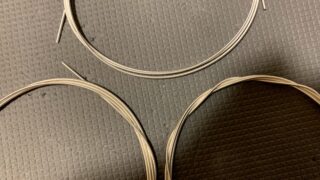

Guitars—especially classical guitars—are notoriously difficult to tune accurately with standard tuners. The pitch goes sharp immediately upon plucking and continues to fluctuate as the note sustains. On top of that, treble classical guitar strings carry an inherent risk of being “defective strings” (false strings) with irregular intonation or vibration issues.
To solve these problems, I developed an advanced tuner app tailored specifically for classical guitar, featuring bad string detection and an “Auto-Lock” function matched to the guitar’s acoustic traits. Here is how to use it.
Key Features: Pulsar Tuner & ReString Logger
This defective string detection and advanced tuning suite is integrated into ReString Logger. A lightweight, dedicated version focused purely on high-precision tuning, Pulsar Tuner, is also in development and review.
- Defective String (False String) Detection
- Compares open strings, 12th-fret harmonics, and 12th-fret fretted notes to detect intonation offsets.
- Calculates string roundness/concentricity based on pitch instability.
- Advanced Guitar Tuner
- Custom algorithms optimized for classical guitars (tracking hysteresis, ignoring initial attack sharpness, dynamic noise thresholds as sound decays).
- Auto-Lock: Locks the pitch readout once fluctuations stay within a strict threshold, removing guesswork from drifting notes.
- Pitch Trajectory Graph: Visualizes pitch changes over time so you tune the sustained note rather than a single fleeting instant.
- Dyad Beat Tuning: Analyzes the acoustic beating between two notes and compares it with theoretical beats in Just Intonation and Equal Temperament.
- Smart Metronome with Tap & Listen Tempo Calculator
- Full-featured metronome with custom tempo, time signature, and sound options.
- Reverse tempo calculator: Tap on your phone screen or strum your guitar rhythmically to calculate the BPM automatically.
Download
ReString Logger is available now via the links below:
- iOS (iPhone/iPad): https://apple.co/4xLrwV7
- Android: https://play.google.com/store/apps/details?id=com.classicalguitarlabo.restringlogger
- Web Browser Version: https://classical-guitar-labo.com/guitar_app
Pulsar Tuner is available now via the links below:
- iOS(iPhone/iPad): https://apps.apple.com/app/id6807597093
- Android: https://play.google.com/store/apps/details?id=com.classicalguitarlabo.pulsartuner
Recommended Microphones
Your smartphone’s built-in microphone works fine in quiet rooms (even with an AC running). In noisy settings or ensemble practice, a contact (piezo) microphone is strongly recommended.
A reliable setup uses a USB-C connection with two components:
- [Contact Microphone with 3.5mm jack]
- [USB-C to 3.5mm TRRS/TRS adapter]
Hardware Buying Tips:
- Pick a 3.5mm mini-jack over a 6.35mm standard jack: Most USB-C audio adapters take 3.5mm inputs, so a 6.35mm plug requires an extra, clunky adapter.
- Choose a 3-pole (TRS) adapter: Avoid 4-pole (TRRS)-only smartphone headset adapters, as standard contact mics require a 3-pole interface to pass signal correctly.
How to Use
1. String Quality Assessment (Defective String Detection)
- Register an account in ReString Logger, then add your guitar and the strings you are using.
- Tap “String QA” under your active strings list.
- Select the string number, material, and scale length, then tap “Start Measurement.”
- Allow microphone permissions. (External mics yield more reliable data, especially for quiet 12th-fret harmonics; if using an internal mic, bring it close to the soundhole.)
- Play the open string, 12th-fret harmonic, and 12th-fret fretted note as prompted.
Interpreting the Results:
- Pitch fluctuation graph: Shows pitch drift after plucking. The initial transient spike is normal, but persistent wobble points to poor string concentricity/roundness.
- Beat frequency & Intonation deviation: Quantitative values indicating harmonic beats and pitch offsets between the open string and the 12th fret.
- Community benchmarks: Because absolute thresholds for classical string roundness do not exist in the industry, the app displays an average benchmark calculated from user-submitted data once sufficient samples accumulate. You can easily compare your string’s quality against the community average. (This is currently a beta feature undergoing refinement.)
2. Advanced Tuner Controls
Tap the speedometer icon to launch the tuner.
Top Interface Icons (Left to Right):
- Needle / Strobe Mode Toggle
- Pitch Trajectory Graph (On/Off)
- Dyad Beat Analysis
- Mic Mute Toggle
- User Guide
Open the Settings panel for advanced parameters and calibration.
3. Strobe Tuner Mode
Unlike a needle tuner, a strobe tuner indicates pitch accuracy through the rotation of a strobe wheel:
- Strobe wheel stopped: In tune.
- Strobe wheel rotating: Out of tune (direction indicates sharp or flat).
Standard needle tuners often hide micro-deviations within a ±1–2 cent margin due to visual dampening. The strobe mode tracks phase drift down to ±0.1 cents, providing master-grade precision.
4. Auto-Lock Feature
Plucked strings never hold a static pitch: they spike sharp upon attack and drift as the string vibrates. A typical tuner needle bounces continuously, making it impossible to choose an exact reading.
Auto-Lock monitors pitch stability over a rolling time window. When fluctuations stay within your target threshold, the region turns green on the trajectory graph and the pitch locks. This discards initial transient spikes and captures the authentic sustained pitch. You can adjust the threshold and response time in Settings to favor either the attack or the sustain.
5. Dyad Beat Tuning
Dyad Beat Tuning evaluates two notes sounded together.
Because strings drift independently over time, tuning strings one by one can still leave chords sounding sour. This mode calculates the frequency delta between two vibrating strings and compares the measured acoustic “beats” against theoretical Just Intonation / Equal Temperament values. (This feature is experimental—please share your feedback.)
6. Alternate Tunings & Temperament Modes
- Tuning Presets: Switch easily to common alternate tunings, such as Drop D (6th: D), Double Drop D (1st & 6th: D for Sunburst), or 6th: D / 5th: G (Sueño en la Selva). Custom configurations can be saved.
- Temperament Modes (Key & Chord): Guitars use equal temperament, which means open-string tuning always introduces harmonic clashes when fretting chords.
- Key Mode: Sweetens tuning offsets based on the home key of your piece.
- Chord Mode: An advanced mode that calculates compensation for fretting tension, scale length, and treble string materials (nylon vs. carbon) to optimize specific chord voicings.
7. Metronome & Tempo Calculator
The metronome visually displays tempo via needle sweeps and flashing indicators, paired with distinct audio clicks.
Reverse Tempo Calculation (Tap / Listen):
- Tap Tempo: Tap the “TAP” button at a steady cadence; the calculated BPM displays on the left.
- Listen & Tap: Toggle the switch next to “Listen & Tap” to ON. The app will detect your acoustic guitar strums and automatically compute your playing tempo.
Feedback Wanted
Building guitar-specific analysis tools—especially for the acoustic intricacies of classical guitars—is an ongoing technical challenge.
Please test the app and send your impressions, bug reports, and feature requests via the contact form below:










コメント